QR Scanner & Barcode Reader
- 3.1
- Rating
- 1.00M
- Installs
- Free
- Price

 Analysis by App-foxy
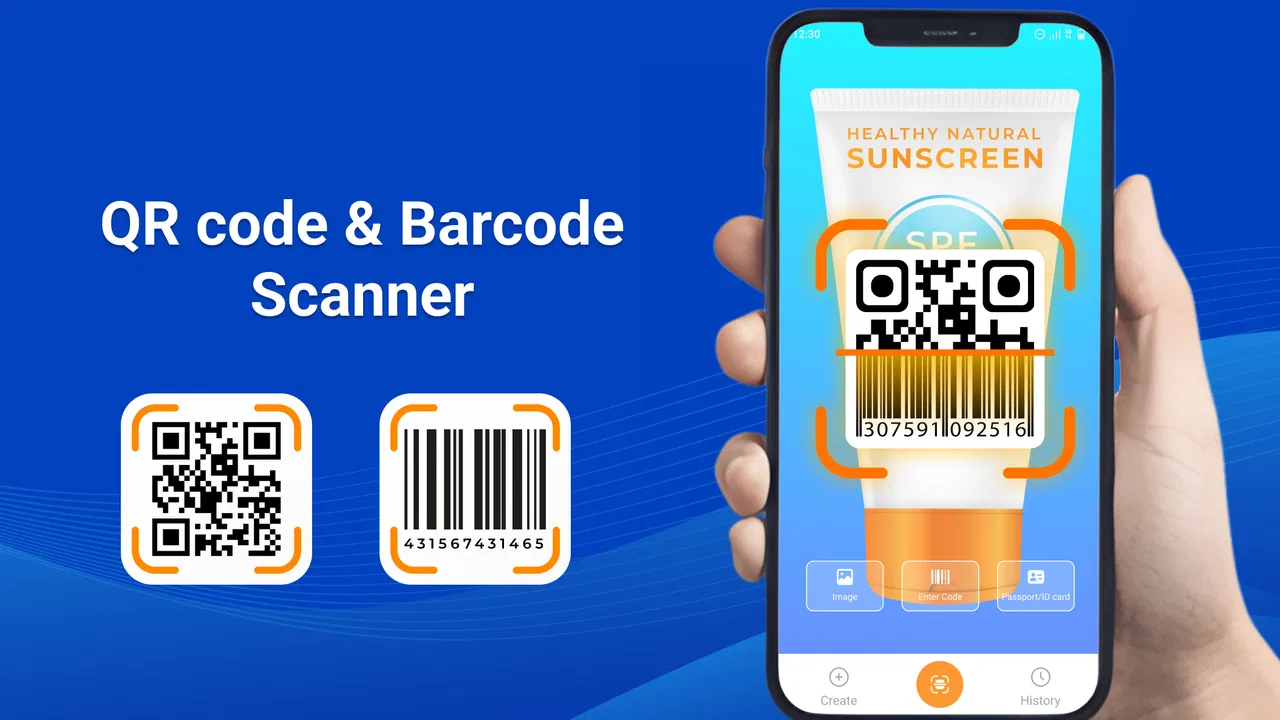
QR Scanner & Barcode Reader is the kind of Tools app I reach for when I need a quick answer from a square code or a product label without opening a larger shopping or payment service. Developed by Start Up, it focuses on one practical capability: using a phone camera to scan QR codes and barcodes, then making QR codes when I need to share information in the opposite direction. That narrow purpose is also its main appeal. I do not have to learn a complicated workspace before trying a simple scan.
My overall impression is mixed but useful. The app is free to install, aimed at Everyone, and available for devices running Android 8.0 or later. Its current version is 1.2.3, and its presence on more than a million devices suggests that the basic idea is easy for many people to understand. At the same time, an average rating of 3.2 from roughly 3.8 thousand ratings tells me not to treat it as a flawless replacement for every built-in camera or specialist scanner. It works best when I value a dedicated, straightforward tool and accept that convenience may come with some rough edges.
One focused capability: turning camera scans into useful actions
The important feature here is not simply recognizing a pattern. A QR code is only useful after the app helps me understand what it contains and what I should do next. In everyday use, I might point the phone at a web address, a contact detail, a text message, or another piece of encoded information. The practical benefit is avoiding manual typing, especially when the code contains a long address or a string of characters that would be easy to mistype.
You May Also Like

 Blood Strike: 2.5 Anniversary
Blood Strike’s Loadouts Turn Every Drop Into a Tactical Gamble
A close look at Blood Strike’s custom loadouts: how fast access to signature weapons reshapes its battle royale rhythm, rewards preparation, and narrows the gap between fights.

 Pandora - Music & Podcasts
Pandora’s Music Is Easy to Start, but Harder to Recover
Pandora’s strength is its low-effort path from a seed to a station. Its weak spot is how much confidence it asks you to place in connection, setup, and quiet recovery.

 8 Ball Pool
 Is Built on Rivalries, Rematches, and Routine
A close look at the rivalries, rematches, shared routines, and unanswered safety questions that turn a quick pool match into a persistent mobile community.

 Samsung Music
’s Quiet Strength Is Playing What You Already Own
Its reach comes less from spectacle than from dependable access to a personal library. That simplicity is both the app’s strongest retention engine and its ceiling.

 AccuWeather: Weather Radar
AccuWeather Review: A Quick, Clear Forecast for Everyday Decisions
For everyday plans, the best forecast is the one you can understand quickly. AccuWeather makes rain timing, radar, and local conditions easy to act on, with a few trade-offs.

 Hill Climb Racing
Why Hill Climb Racing Still Turns Crashes Into One More Run
A tiny car, a bumpy hill and one more upgrade: Hill Climb Racing keeps resurfacing because its simple chaos makes every near-miss feel personal.
More From Our News Desk



Barcode scanning serves a different purpose. A product barcode is usually more useful as an identifier than as a visual message, so I see it as a quick lookup starting point rather than a complete product research system. That distinction matters. If I am standing in a shop and want to capture a code accurately, a dedicated scanner can be convenient. If I expect automatic price comparisons, stock information, purchase history, or a full inventory workflow, I would choose a more specialized app instead.
The generation side is equally practical, although it is easy to overlook. I can create a QR code when I want another person to scan information instead of entering it manually. This is helpful for sharing a short piece of text, a web address, or another supported value in a printed or displayed form. The real strength is the two-way workflow: scan information when someone else has prepared it, or generate a code when I want to pass information on.
Why this narrow approach can be better than a crowded utility
Many phones can recognize QR codes through the camera application, and browsers or payment apps often include their own scanners. Those options are excellent when I already know which service I want to use. QR Scanner & Barcode Reader makes more sense when I want a separate place for general-purpose scanning rather than tying every code to a browser, store, wallet, or messaging service.
That separation can reduce friction in small tasks. I can use a general scanner for a code on packaging, a poster, a document, or a screen without first deciding which larger app should handle it. The trade-off is that a built-in camera may feel faster because it is already open, while a shopping app may provide more context after reading a product barcode. This app sits between those choices: more focused than a broad service, but less specialized than a dedicated retail or business tool.
What using it feels like in practice
The basic workflow is easy to understand. I open the app, aim the camera at the code, and wait for the pattern to be recognized. With a QR code, the result should be judged before I follow it. A code can direct me somewhere useful, but scanning and opening are separate decisions, and I prefer to check the displayed destination rather than treating every code as trustworthy. This is especially important when a code is printed on an unfamiliar flyer or attached to a public notice.
Lighting and positioning still matter, even with a dedicated scanner. A glossy package can reflect overhead lights, and a code shown on another phone may be too bright or too small if the screen is angled badly. I get better results by holding the phone steady, filling a reasonable part of the view with the code, and moving slightly instead of repeatedly tapping the screen. A cracked label or a low-quality print is a more serious problem than the app itself, so I would not judge the scanner solely by a difficult code.
One useful habit is to keep the camera parallel to a printed label. Tilting the phone can make a rectangular barcode appear compressed, which gives the reader less clean information to work with. For a QR code on a monitor, reducing glare is often more effective than moving closer. These are small adjustments, but they make a difference in real situations and prevent the common mistake of assuming that a scan failure means the app has no capability for that code.
The app also has a role when the code is not physically in front of me. If I receive a code on another screen, I can position my phone to read it, provided the display is bright enough and the image is clear. This is useful for tickets, instructions, or a shared account setup screen, but it is not always the most comfortable method. A screenshot or image-import workflow would be valuable in situations where the code is already stored on the same phone; I would check the current interface carefully before relying on that for an important task rather than assuming every scanner handles local images.
A realistic everyday example
Imagine I am assembling a small piece of furniture and the paper instructions include a QR code for a video or an online manual. Instead of typing a long address with one hand while holding the instructions with the other, I open the scanner, line up the printed code, inspect the result, and continue with the instructions on the phone. The value is not dramatic, but it removes a frustrating interruption at exactly the point where manual entry is inconvenient.
Another example is a product label in a storeroom. I can scan the barcode to capture its identifier rather than writing down a long sequence. I would then use that result in whatever catalog, note, or search process I normally use. The app helps with accurate capture, but it does not turn that simple scan into a full stock-control system. Knowing that boundary keeps expectations realistic and makes the tool more useful.
Generating a code changes the direction of the task
When I generate a QR code, I think about where it will be used before deciding what to put inside it. A code displayed briefly on my screen is suitable for a quick handoff. A code printed on a notice needs enough size and contrast for people to scan it from a comfortable distance. I also avoid placing critical information inside a code without considering whether recipients can access it easily after scanning.
This is one of the less obvious strengths of having scanning and generation together. I can test the code from the same general tool before sharing it, rather than assuming that a generated pattern is automatically convenient for everyone. The best workflow is to create it, scan it from another device or printed copy, and confirm that the result is what I intended. That extra check is particularly worthwhile for a long web address, where a small mistake can send people to the wrong place.
There is also a privacy angle. A QR code can make sharing easy, but anything encoded into a visible pattern may be read by anyone who can point a camera at it. I would use the generator for information I am comfortable displaying and avoid treating a printed code as a secure container. The app’s usefulness comes from reducing typing, not from providing a private channel.
The trade-offs I noticed before recommending it
The first trade-off is duplication. Android phones increasingly include QR recognition in the camera, and many people already have a browser or payment application that can scan codes. If the only thing I need is an occasional QR scan, installing another tool may not improve my routine. I would recommend this app more strongly to someone who wants a dedicated scanner and generator in one place, not to someone whose existing camera already handles every required task comfortably.
The second trade-off concerns barcode expectations. A barcode reader can identify the pattern, but identification is not the same as product knowledge. The usefulness of the result depends on what I plan to do with it afterward. For shopping decisions, a retailer’s application or a barcode database may be more helpful because it can connect the number to prices, descriptions, availability, or reviews. Here, the app is better understood as the capture step in a larger process.
The rating of 3.2 is a reasonable warning to test the experience on my own phone before making it part of an important workflow. A scanner that works well for occasional personal use may still feel limited in a busy shop, office, or warehouse. I would not choose it as the sole tool for time-sensitive operations without first trying the exact labels, lighting, and distances involved in that environment.
There are also practical security considerations. I do not open every scanned destination automatically, particularly when the code comes from an unknown source. A QR code can hide a misleading address behind a familiar-looking design, so I treat the result as information to review rather than a command to follow. This is not a criticism unique to this app; it is a necessary habit with any QR reader. The dedicated interface makes scanning convenient, but it cannot decide whether a destination deserves my trust.
Cost is another point worth understanding. The app is free, but it includes in-app purchases ranging from $4.99 to $49.99 per item. That means I would pay attention to what is offered before confirming anything, especially if I only need basic scanning. For a casual user, the free starting point may be enough; for someone considering optional extras, the broad price range makes it sensible to review the purchase screen carefully rather than assuming every function is included without conditions.
When another option is the better choice
I would choose the phone’s built-in camera when speed matters more than having a separate tool and the camera already recognizes the codes I use. I would choose a payment app when the QR code is specifically part of a payment process, because that service is designed to connect scanning with the transaction. For repeated retail work, I would look for inventory software that records scans, supports batches, and connects identifiers to a catalog.
I would also hesitate to recommend QR Scanner & Barcode Reader for a team that needs shared scan history, controlled access, reporting, or a formal audit trail. Those requirements belong to a business workflow rather than a simple utility. The app’s value is strongest for an individual who wants a direct scan-and-use experience, not an organization trying to manage thousands of product records.
For accessibility and comfort, I would test the camera experience in the conditions where it will actually be used. Someone with limited hand stability may prefer a tool with clearer aiming guidance or more forgiving capture behavior. Someone who scans codes from a desktop monitor may care about glare handling and distance more than someone scanning clean labels. These differences are why I would not judge the app only from a quick scan of a large, well-printed QR code.
Who gets the most from this focused tool
I think the best audience is people who regularly move small pieces of information between physical objects and a phone. Students can use it for codes in handouts, visitors can scan posted instructions, and household users can capture product identifiers without typing. It is also a sensible option for anyone who wants to generate a QR code for a simple handoff, then verify that the result works before sharing it.
The app is especially appealing if I do not want a shopping service to interpret every barcode or a payment service to handle every QR code. Its general-purpose position gives me more control over what I do after the scan. I can read the result, decide whether it is useful, and continue in the app or another tool of my choice. That extra step is not as automatic as an integrated service, but it can be preferable when I want to separate recognition from action.
On the other hand, I would skip it if my phone’s camera already covers my needs, if I require advanced inventory features, or if I expect every product barcode to produce rich shopping information immediately. I would also avoid making it my only solution for codes used in a critical professional process until I had tested it thoroughly. The free installation lowers the barrier to trying it, but the in-app purchase range means I would keep my needs in mind before paying for optional functionality.
Start Up has kept the central idea clear: scan QR codes, read barcodes, and create QR codes without turning the app into a large, complicated platform. That clarity is valuable, but it also defines the limits. I see it as a practical middle ground between a phone camera that may already scan QR codes and specialist services that do much more after recognition.
My recommendation is therefore conditional but positive. If I wanted a dedicated general scanner for everyday labels, printed codes, and simple sharing, I would give QR Scanner & Barcode Reader a try and test it with the kinds of codes I actually encounter. It is most worthwhile when the act of capturing the code is the problem; it is less compelling when I need the entire business, shopping, payment, or catalog workflow afterward. That distinction makes the app easy to place: useful, focused, and worth considering, provided I do not expect a basic scanning tool to replace every specialized alternative.
FAQs for QR Scanner & Barcode Reader
01What features does the QR Scanner & Barcode Reader offer?
The QR Scanner & Barcode Reader app provides a comprehensive suite of features including instant scanning capabilities, the ability to read various types of barcodes and QR codes, and a history log to track scanned data. It also offers sharing options for scanned information and supports creating your own QR codes.
02Is the QR Scanner & Barcode Reader app secure to use?
Yes, the QR Scanner & Barcode Reader app is designed with user security in mind. It doesn’t store personal data and only requires minimal permissions to function, such as access to the camera. Always ensure you download the app from a reputable source like the official app store.
03Does the app require an internet connection to work?
The QR Scanner & Barcode Reader app can scan QR codes and barcodes without an internet connection. However, if you wish to access content linked to a QR code that requires online resources, you will need an active internet connection to access that information.
04Are there any in-app purchases or ads in the QR Scanner & Barcode Reader app?
The app is typically free to download and use, but it may contain ads. Some features might be locked behind in-app purchases, such as premium scanning modes or ad-free experiences. It’s advisable to review the app’s store page for detailed information on any costs involved.
05Can the app scan all types of QR codes and barcodes?
Yes, the QR Scanner & Barcode Reader app is versatile and can scan a wide variety of QR codes and barcodes. This includes product barcodes, URL links, contact information, and Wi-Fi network access codes. It's designed to handle most standard formats you might encounter.
Pros
- Fast and accurate scanning.
- Supports multiple barcode formats.
- User-friendly interface.
- Works offline efficiently.
- No intrusive ads.
Cons
- Limited editing features.
- Requires camera access.
- No batch scanning option.
- Cannot create custom codes.
- Occasional scanning delays.

QR Scanner & Barcode Reader
Gallery